Sorting out Space City Weather e-mails in 2026

In brief: Did you sign up for the Space City Weather e-mail forecasts, but stopped receiving them? Try signing up again, and also check your spam filters! If you think you should be receiving email and you’re not, we’ve got some troubleshooting steps to follow and an address where you can report problems if the troubleshooting doesn’t help.

We’re happy to be able to offer Space City Weather in your inbox as a free service, and we know from direct feedback that thousands of folks in and around the Houston area enjoy waking up to the SCW weekday forecast (at least when that forecast portends fair weather!).

As one of the oldest still-functional components of the modern Internet, e-mail is an ornery technology. Its co-opting by spammers and scammers has led to an ever-evolving series of standards and safeguards that e-mail senders must utilize in order for their e-mails to be delivered successfully. Sending e-mail in bulk—which we definitely do, to 20,000+ subscribers every weekday, and sometimes three, four, or even five times a day during major weather events!—requires strict compliance with a whole bunch of different rules. There are also legal requirements about how unsubscribing should be handled and how e-mail addresses should be stored, and failing to follow the letter of the law here can mean facing penalties under things like CCPA, GDPR, and other acts emerging from the constantly shifting legislative landscape.

Doing e-mail at scale properly, without cutting corners like spammers tend to do, can be very expensive—potentially more than a thousand dollars per month at SCW’s current volume of e-mail. Fortunately for us, we’re able to lean on a service offered by WordPress as part of their Jetpack tool, called “Jetpack Newsletter.” SCW has been using the Jetpack Newsletter service since around 2017 to send millions of subscriber e-mails at a very reasonable cost to us. Jetpack Newsletter also handles the compliance aspect of things, freeing us up to focus on the weather.

Support speaks

However, we receive a small but regular trickle of messages through our “contact us” form from at least one or two folks every week indicating that they at one point signed up for SCW daily e-mails, but stopped receiving them. This has triggered a review on our end of how we’re using the Jetpack e-mail service, and we’ve been discussing the matter with the WordPress/Jetpack support crew.

After some digging, the Jetpack team is confident that the service is working properly and that they’re not unsubscribing anyone unless there are legitimate deliverability problems. I’ll paste in a bit from what they told us in our latest exchange:

At this time, there isn’t a hard limit on the total number of subscribers who can receive your Jetpack Newsletter. While there are limits on manual subscriber imports, subscriptions made directly through your site are not capped, and we don’t offer paid tiers to increase email capacity.
 
I took a look at your recent activity and can see that your latest newsletter was sent successfully to the majority of your subscribers and opened by over 22,000 recipients. You can confirm this on your end by visiting Stats → Subscribers in your WP Admin.
 
In most cases where readers stop receiving email notifications, it’s due to their email address being blocked from sending. This can happen for a number of reasons, such as their WordPress.com email notifications being paused, an invalid or outdated email address, marking previous emails as spam, repeated email bounces, or other deliverability-related issues.

Additionally, Jetpack support suggested a few ways (some of which we were previously unaware!) to monitor newsletter sign-ups and newsletter e-mail delivery status from our end, without us needing to open more support tickets.

Next steps for folks still having problems

Armed with these new tools, we’d like to approach the issue systematically. Here’s how.

First off, if you’ve not subscribed to get SCW in your inbox every time Eric and Matt make a post, now’s a great time to do so! You can use the sign-up link in the sidebar on every page, and I’ve also included the same sign-up form right below this paragraph if you’d prefer not to have to hunt for it:

Join 24.6K other subscribers

Second, if you’ve subscribed in the past and then stopped receiving e-mails, we’ve got a short list of steps to follow:

  • Go ahead and sign up again, using the sidebar form or the form above, to make doubly sure your address is on the newsletter list. (If you’re unsure if you’ve already signed up in the past, signing up again won’t hurt anything or cause you to get duplicate e-mails, so no worries there.)

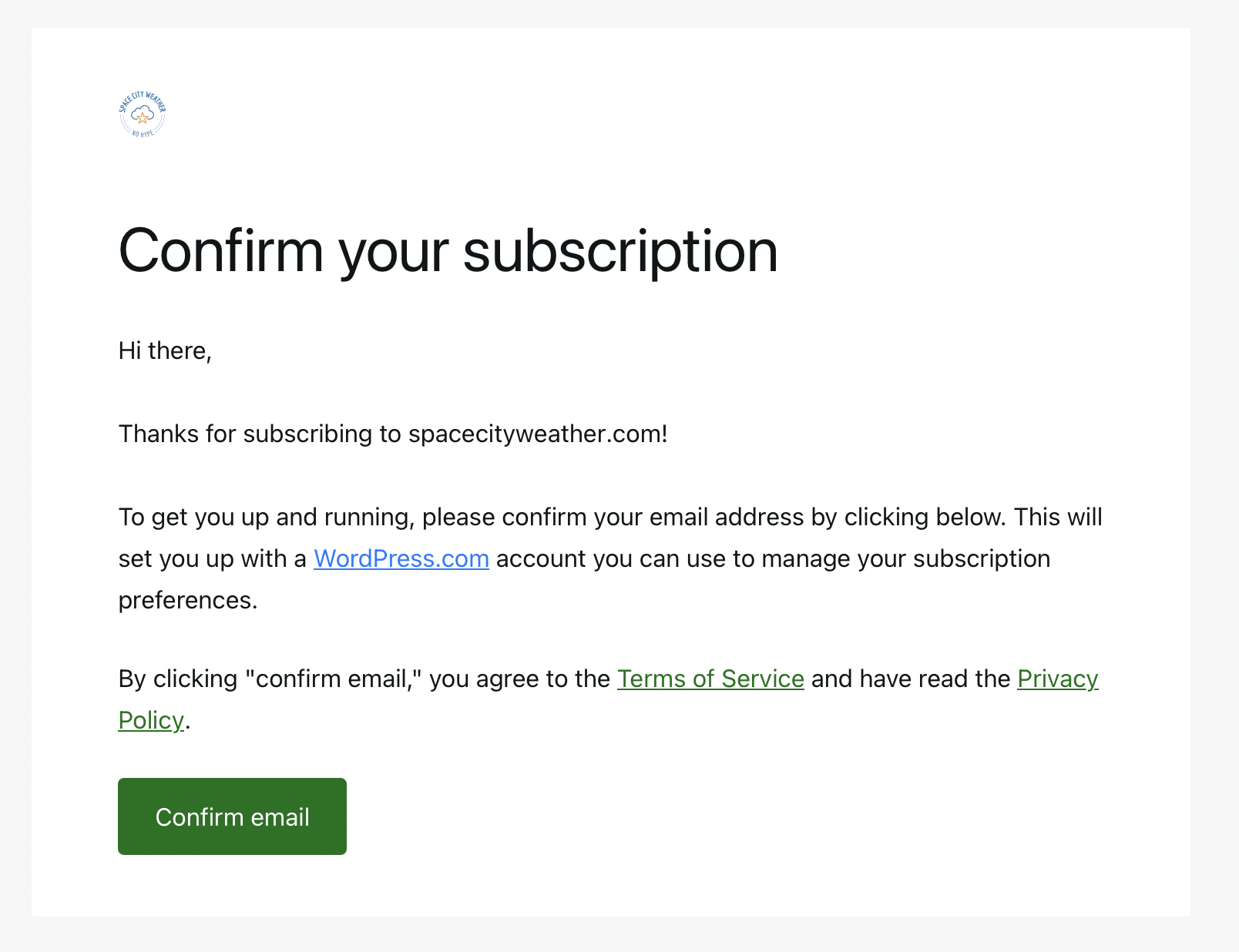
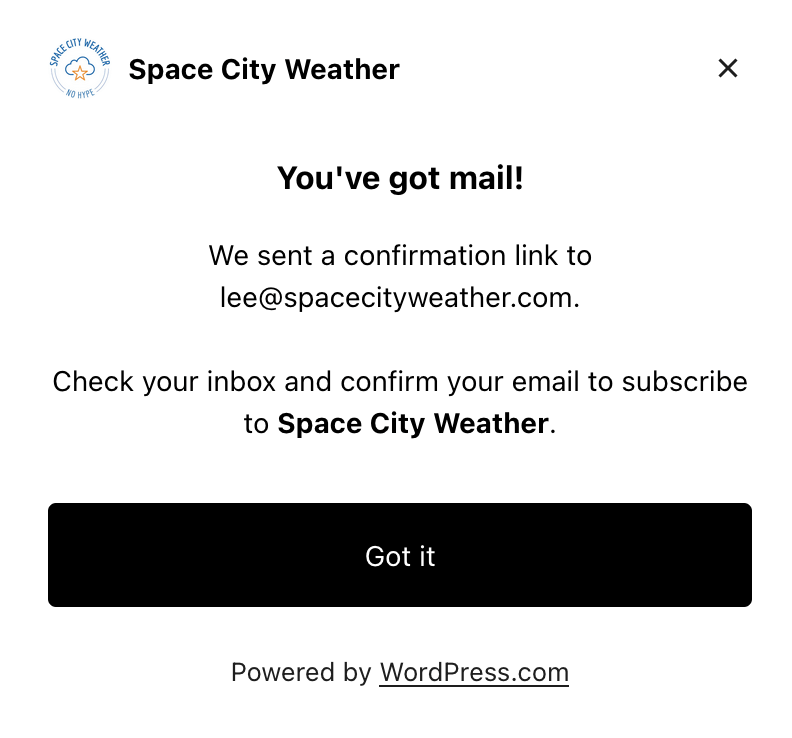
    You should immediately see a pop-up dialog box telling you that a confirmation link is on the way. After clicking “Got it” on the pop-up, you should then receive an e-mail at the address you used to subscribe, asking you to confirm your subscription. This “double opt-in” step is mandatory and ensures you weren’t signed up by mistake, and that the e-mail address being provided is valid. You must confirm your address in order to begin receiving SCW e-mails.
  • Next, wait a day. Signing up won’t cause any previous e-mails to be delivered, so you’ll need to hang tight until Eric or Matt make their next forecast post. If you’re still not seeing any e-mails after the next day’s SCW post, it’s time to dig a little deeper.
  • Check your subscription status on WordPress.com. You can use this link right here to look at the status of all of your WordPress-managed subscriptions, including SCW. If everything’s working, your page should look something like the image below, showing your subscription status:
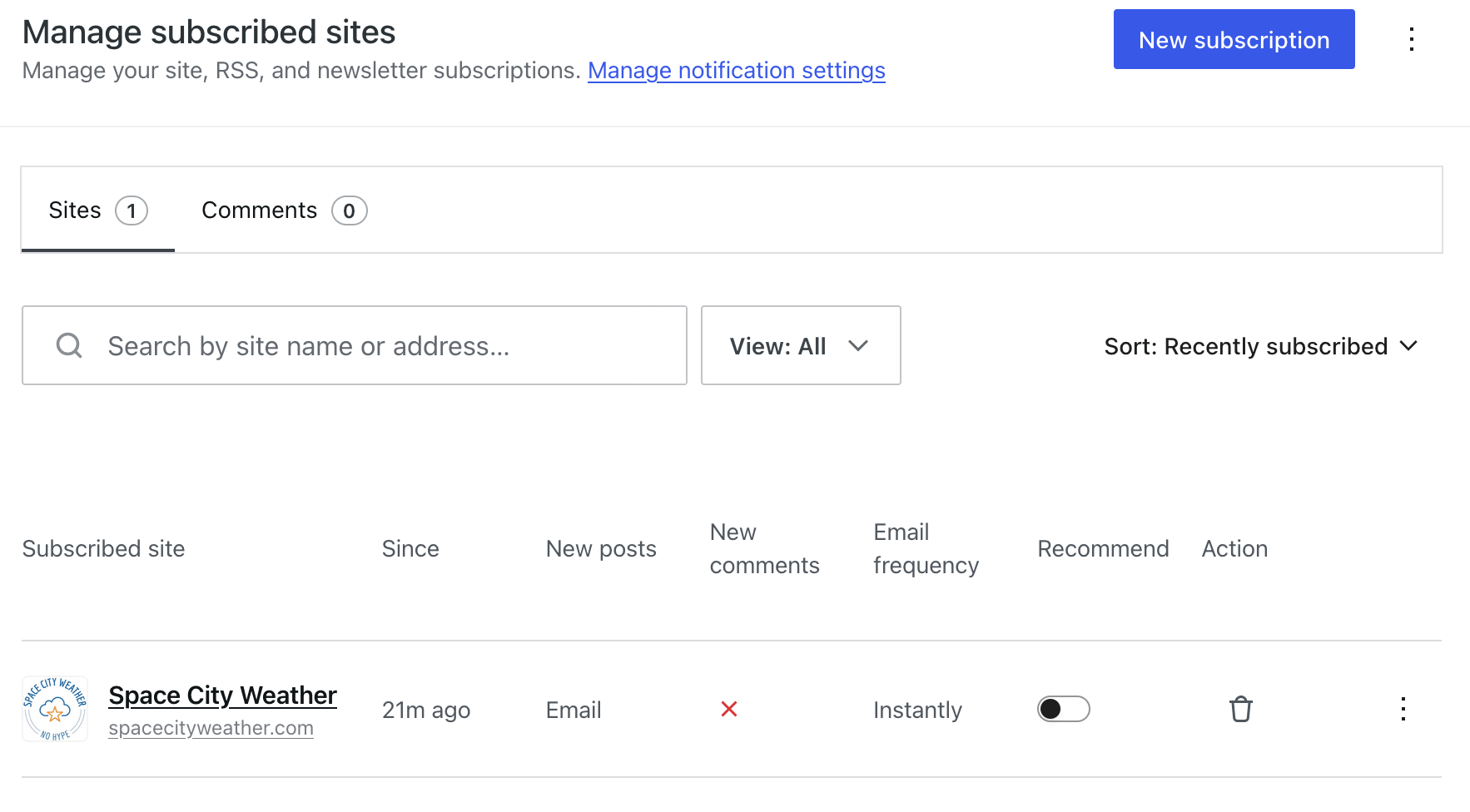
Image showing Jetpack e-mail subscriptions
Subscription status page on WordPress.com. The trash icon allows you to unsubscribe, and the three dots at the end of the row contain options to adjust e-mail frequency if desired.
  • Check your spam folder. Because we’re sending e-mail in large quantities, the headers in our e-mails are required to contain metadata explaining that they are bulk-sent newsletters, and how to unsubscribe from them. Some e-mail system spam filters interpret those bulk headers as a sign that the message is probably garbage and that you probably don’t want to see it, and send the messages to your spam folder instead of your inbox. If this is happening to you, explicitly marking one of the e-mails as “not spam” should correct this problem and ensure future messages make it to your inbox.
  • Check your “newsletter” e-mail category. Most web-based e-mail providers by default will display newsletters, promotional e-mails, social notifications, and other bulk or transactional e-mails in a separate (sometimes hidden) set of “category” folders unless you tell them to do otherwise. Gmail’s categories can be configured using these instructions, whereas Microsoft O365/Outlook users can check their category configurations here.
  • Check your e-mail rules and filters for anything that might be routing e-mails away from your inbox. How to do this varies by e-mail provider and even by the e-mail program you’re using. Gmail’s instructions are here; Microsoft’s are here.

If all else fails…

If you’ve verified that you’re signed up and your subscription status looks good, and you’ve checked your spam folder and your filters and your category lists and you’re certain everything is set properly, and after all that you’ve still not received any forecast e-mails, then we definitely want to hear from you so that we can investigate with our new tools!

For folks in this unfortunate situation, please end us a note at [email protected] and let us know. It is vital that you include in your note the e-mail address with which you’ve attempted to subscribe! Without that, we’ve got nothing to search for in the logs and we won’t be able to help.

Please also understand that we have a technical team of precisely one person—me!—and I might not be able to respond the same day. But even if it takes a bit of time to get back to you, please know that we’re looking at every report that comes in to see if there are any problems or issues we can fix on our end.

Thanks for choosing to be a Space City Weather reader. Stay warm out there!

Welcome to Space City Weather’s new commenting system

Hey all—my name’s Lee, and I run the server side of Space City Weather (and The Eyewall, too!). Today we’re changing how comments work on both sites.

We’re moving from WordPress’ built-in commenting system to a new discussion platform called Discourse. The goal is to make it easier for us to moderate conversations, highlight thoughtful contributions, and cut down on off-topic noise. (For the longer version, see the “Start here: What is all this?! Answers within!” post on our new Discourse instance.)

Discourse logo
Discourse!

What does this mean for everyone?

Starting today, instead of leaving comments directly beneath posts on SCW and The Eyewall, readers will follow a link to a dedicated discussion thread on our new Discourse forum. That thread will serve as the home for all conversation related to that day’s forecast post. The most recent replies from the thread—right now we’re showing 20, but that number might change—will automatically appear at the bottom of the forecast post, in the same place comments have always lived.

If you want to comment, follow the link down below that says either “Start the discussion…” or “Continue the discussion…”, which will take you directly to the daily post’s discussion thread. If you haven’t created an account yet, you’ll be prompted to sign up. Once you’re signed in, you can comment as usual!

It’s still early days here and we’ll be continually tuning how Discourse integrates with Space City Weather and The Eyewall. Some things might be slightly broken at first, but we’ll do our best to stomp on any issues as soon as they’re spotted. Voice any concerns in the Forum Feedback category on Discourse, and we’ll look into them.

Thanks for sticking with us, and whether you’re a newcomer or someone who’s been around long enough to know exactly when Katy should evacuate, welcome to the new commenting system!

Daily e-mails working again—probably!

Howdy folks—my name is Lee, and I run the Space City Weather servers & back-end. (I don’t post much, so you might not recognize the name!) I wanted to weigh in real quick on the status of the e-mail deliverability issues some readers have experienced over the weekend, and explain what’s going on.

(This is not a weather post! If you’re interested in hearing more about our current cold snap, Eric & Matt will be posting their normal update tomorrow morning. This is just a quick technical update on recent e-mail issues.)

Here’s the short version: there were some hiccups this weekend, but things are working fine now. If you don’t care about the deep technical details, you can stop reading now 😀

The deep technical details

SCW runs on Wordpress. (See this post for details on the SCW hosting stack.) For cost reasons, the site relies on the Wordpress Jetpack service for the delivery of the daily e-mails—which means that, ultimately, e-mail is out of our control. The ultimate reason for this boils down to cost: the Wordpress Jetpack service will happily—and more importantly, for free—send e-mails to all 20,000+ SCW subscribers whenever Eric or Matt (and Maria!) make a post.

It turns out that e-mail in bulk is an incredibly expensive service to provide, and leaning on the built-in Wordpress Jetpack e-mail service saves SCW literally tens of thousands of dollars per year. (Seriously, we’ve run the numbers, and going with a commercial e-mail service provider like Mailgun or Mailchimp, or even rolling our own solution with something like Amazon SES, would be a massive cost burden at the scale we’re operating at.) As the sole infrastructure person, I feel a heavy sense of fiduciary responsibility with where and how we choose to spend resources on hosting, and so in spite of the inherent compromises, we’ve stuck with using Jetpack for e-mail updates.

One of those compromises is that we don’t have a lot of control over when and how the daily e-mails are delivered—we are dependent on the Jetpack service to be up and running. Which it usually is! However, for some reason that remains unexplained, over the last few days there have been some failures with the daily e-mails.

I’m very sorry, and I take personal responsibility. We’ve made the conscious choice to use the “free” Jetpack e-mail service in lieu of standing up our own, due to the cost and complexity involved (which truly would be a not-insignificant >$1k/mo expense—sending out millions of e-mails per month has a real cost!). Occasionally, the Jetpack service will have issues that we don’t have much insight into—and that’s apparently what happened over the last couple of days.

Fear not, though—Jetpack e-mail has been reliable (more or less) for every day of every year since I took over hosting the site in 2017. And the Wordpress Jetpack support crew have been extremely responsive in the past when I’ve had to open support tickets to work issues. Eric and Matt and Maria are committed to getting all y’all the best possible forecast data, and the backend crew of Dwight, Hussain, and I are committed to making sure those forecasts get to you immediately and without delay—come rain, snow, or server crashes 🙂

Cheers, everybody. Thanks for reading Space City Weather!

Space City Weather’s grand 2022 pre-season server upgrade

Howdy, folks—I’m Lee, and I do all the server admin stuff for Space City Weather. I don’t post much—the last time was back in 2020—but the site has just gone through a pretty massive architecture change, and I thought it was time for an update. If you’re at all interested in the hardware and software that makes Space City Weather work, then this post is for you!

If that sounds lame and nerdy and you’d rather hear more about this June’s debilitating heat wave, then fear not—Eric and Matt will be back tomorrow morning to tell you all about how much it sucks outside right now. (Spoiler alert: it sucks a whole lot.)

The old setup: physical hosting and complex software

For the past few years, Space City Weather has been running on a physical dedicated server at Liquid Web’s Michigan datacenter. We’ve utilized a web stack made up of three major components: HAProxy for SSL/TLS termination, Varnish for local cache, and Nginx (with php-fpm) for serving up Wordpress, which is the actual application that generates the site’s pages for you to read. (If you’d like a more detailed explanation of what these applications do and how they all fit together, this post from a couple of years ago has you covered.) Then, in between you guys and the server sits a service called Cloudflare, which soaks up most of the load from visitors by serving up cached pages to folks.

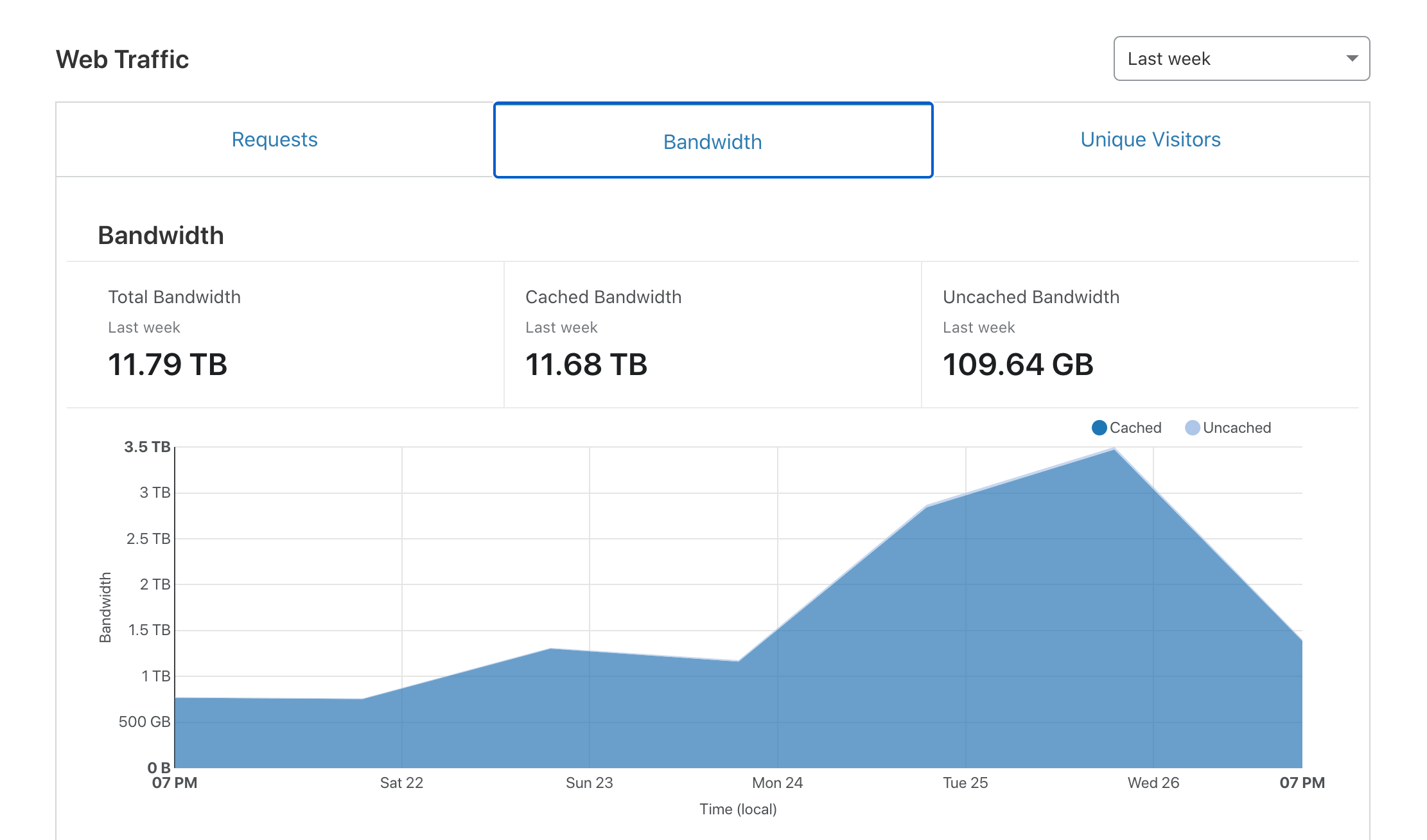
It was a resilient and bulletproof setup, and it got us through two massive weather events (Hurricane Harvey in 2017 and Hurricane Laura in 2020) without a single hiccup. But here’s the thing—Cloudflare is particularly excellent at its primary job, which is absorbing network load. In fact, it’s so good at it that during our major weather events, Cloudflare did practically all the heavy lifting.

Screenshot of the bandwidth graph from a Cloudflare dashboard
Screenshot from Space City Weather’s Cloudflare dashboard during Hurricane Laura in 2020. Cached bandwidth, in dark blue, represents the traffic handled by Cloudflare. Uncached bandwidth, in light blue, is traffic directly handled by the SCW web server. Notice how there’s almost no light blue.

With Cloudflare eating almost all of the load, our fancy server spent most of its time idling. On one hand, this was good, because it meant we had a tremendous amount of reserve capacity, and reserve capacity makes the cautious sysadmin within me very happy. On the other hand, excess reserve capacity without a plan to utilize it is just a fancy way of spending hosting dollars without realizing any return, and that’s not great.

Plus, the hard truth is that the SCW web stack, bulletproof though it may be, was probably more complex than it needed to be for our specific use case. Having both an on-box cache (Varnish) and a CDN-type cache (Cloudflare) sometimes made troubleshooting problems a huge pain in the butt, since multiple cache layers means multiple things you need to make sure are properly bypassed before you start digging in on your issue.

Between the cost and the complexity, it was time for a change. So we changed!

Leaping into the clouds, finally

As of Monday, June 6, SCW has been hosted not on a physical box in Michigan, but on AWS. More specifically, we’ve migrated to an EC2 instance, which gives us our own cloud-based virtual server. (Don’t worry if “cloud-based virtual server” sounds like geek buzzword mumbo-jumbo—you don’t have to know or care about any of this in order to get the daily weather forecasts!)

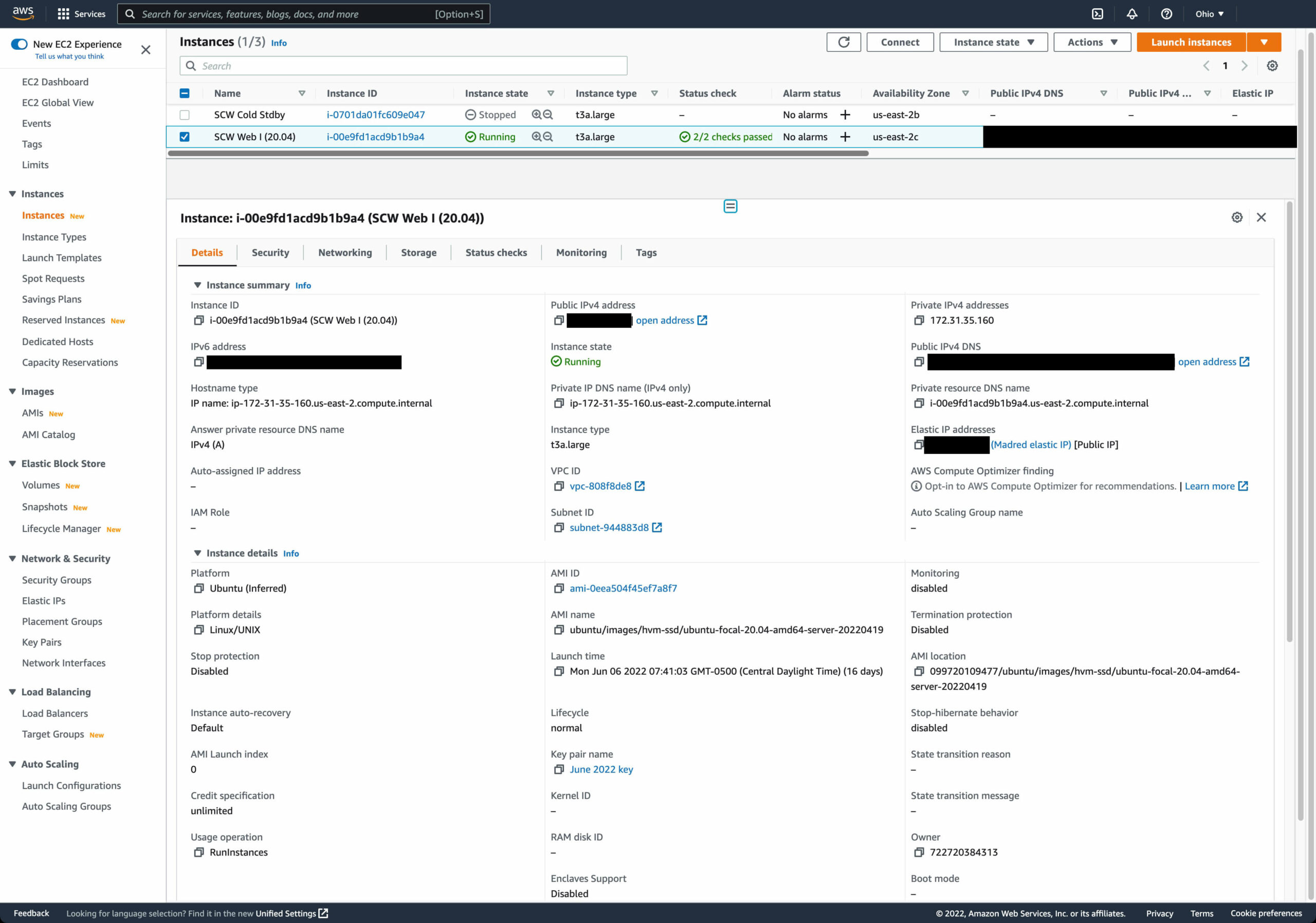
Screenshot of an AWS EC2 console
The AWS EC2 console, showing the Space City Weather virtual server. It’s listed as “SCW Web I (20.04)”, because the virtual server runs Ubuntu 20.04.

Making the change from physical to cloud-based virtual buys us a tremendous amount of flexibility, since if we ever need to, I can add more resources to the server by changing the settings rather than by having to call up Liquid Web and arrange for an outage window in which to do a hardware upgrade. More importantly, the virtual setup is considerably cheaper, cutting our yearly hosting bill by something like 80 percent. (For the curious and/or the technically minded, we’re taking advantage of EC2 reserved instance pricing to pre-buy EC2 time at a substantial discount.)

On top of controlling costs, going virtual and cloud-based gives us a much better set of options for how we can do server backups (out with rsnapshot, in with actual-for-real block-based EBS snapshots!). This should make it massively easier for SCW to get back online from backups if anything ever does go wrong.

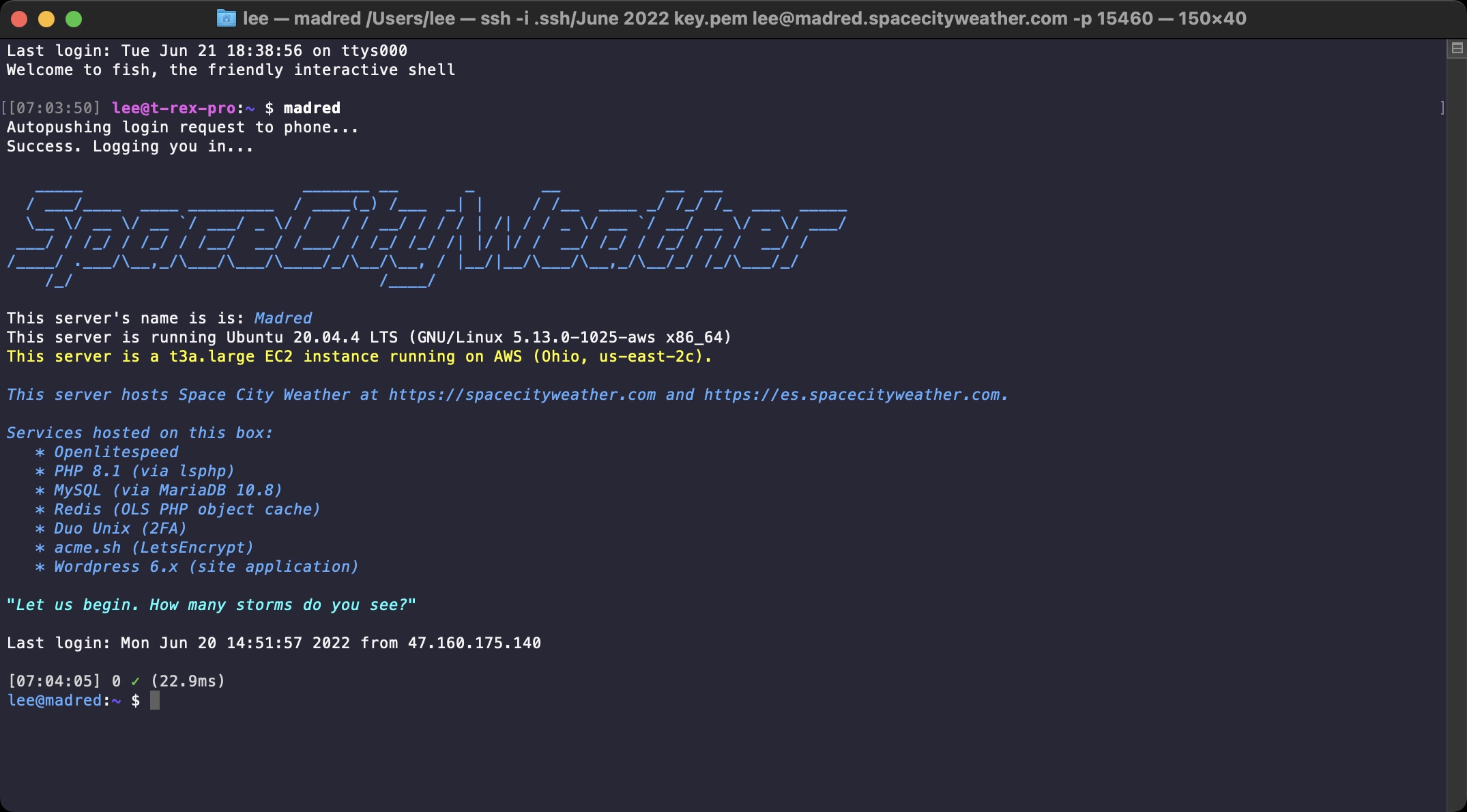
Screenshot of an SSH window
It’s just not a SCW server unless it’s named after a famous Cardassian. We’ve had Garak and we’ve had Dukat, so our new (virtual) box is named after David Warner’s memorable “How many lights do you see?” interrogator Gul Madred.

The one potential “gotcha” with this minimalist virtual approach is that I’m not taking advantage of the tools AWS provides to do true high availability hosting—primarily because those tools are expensive and would obviate most or all of the savings we’re currently realizing over physical hosting. The only conceivable outage situation we’d need to recover from would be an AWS availability zone outage—which is rare, but definitely happens from time to time. To guard against this possibility, I’ve got a second AWS instance in a second availability zone on cold standby. If there’s a problem with the SCW server, I can spin up the cold standby box within minutes and we’ll be good to go. (This is an oversimplified explanation, but if I sit here and describe our disaster recovery plan in detail, it’ll put everyone to sleep!)

Simplifying the software stack

Along with the hosting switch, we’ve re-architected our web server’s software stack with an eye toward simplifying things while keeping the site responsive and quick. To that end, we’ve jettisoned our old trio of HAProxy, Varnish, and Nginx and settled instead on an all-in-one web server application with built-in cacheing, called OpenLiteSpeed.

OpenLiteSpeed (“OLS” to its friends) is the libre version of LiteSpeed Web Server, an application which has been getting more and more attention as a super-quick and super-friendly alternative to traditional web servers like Apache and Nginx. It’s purported to be quicker than Nginx or Varnish in many performance regimes, and it seemed like a great single-app candidate to replace our complex multi-app stack. After testing it on my personal site, SCW took the plunge.

Screenshot of the OLS console
This is the OpenLiteSpeed web console.

There were a few configuration growing pains (eagle-eyed visitors might have noticed a couple of small server hiccups over the past week or two as I’ve been tweaking settings), but so far the change is proving to be a hugely positive one. OLS has excellent integration with Wordpress via a powerful plugin that exposes a ton of advanced configuration options, which in turn lets us tune the site so that it works exactly the way we want it to work.

Screenshot of the LiteSpeed Cache settings page
This is just one tab from the cache configuration menu in the OLS Wordpress plugin’s settings. There are a lot of knobs and buttons in here!

Looking toward the future

Eric and Matt and Maria put in a lot of time and effort to make sure the forecasting they bring you is as reliable and hype-free as they can make it. In that same spirit, the SCW backend crew (which so far is me and app designer Hussain Abbasi, with Dwight Silverman acting as project manager) try to make smart, responsible tech decisions so that Eric’s and Matt’s and Maria’s words reach you as quickly and reliably as possible, come rain or shine or heatwave or hurricane.

I’ve been living here in Houston for every one of my 43 years on this Earth, and I’ve got the same visceral first-hand knowledge many of you have about what it’s like to stare down a tropical cyclone in the Gulf. When a weather event happens, much of Houston turns to Space City Weather for answers, and that level of responsibility is both frightening and humbling. It’s something we all take very seriously, and so I’m hopeful that the changes we’ve made to the hosting setup will serve visitors well as the summer rolls on into the danger months of August and September.

So cheers, everyone! I wish us all a 2022 filled with nothing but calm winds, pleasant seas, and a total lack of hurricanes. And if Mother Nature does decide to fling one at us, well, Eric and Matt and Maria will talk us all through what to do. If I’ve done my job right, no one will have to think about the servers and applications humming along behind the scenes keeping the site operational—and that’s exactly how I like things to be 🙂